

Yes, ChatGPT can genuinely help you revise for GCSEs and A-Levels. The key is treating it as a patient tutor and testing engine, not a shortcut that does the thinking for you. Used well, it gives you on-demand explanations, bespoke practice questions, and a personalised timetable at any hour of the day. One important caveat upfront: ChatGPT can and does make mistakes, so always cross-check factual answers against your official exam board specification and published mark schemes before you trust them.
Here is what you can do in your first ten minutes:
- Turn on Study Mode (logged-in users only) so ChatGPT asks you questions rather than handing you answers directly.
- Set the context in your first message: state your exam board (AQA, Edexcel, OCR, WJEC), subject, topic, and your current confidence level.
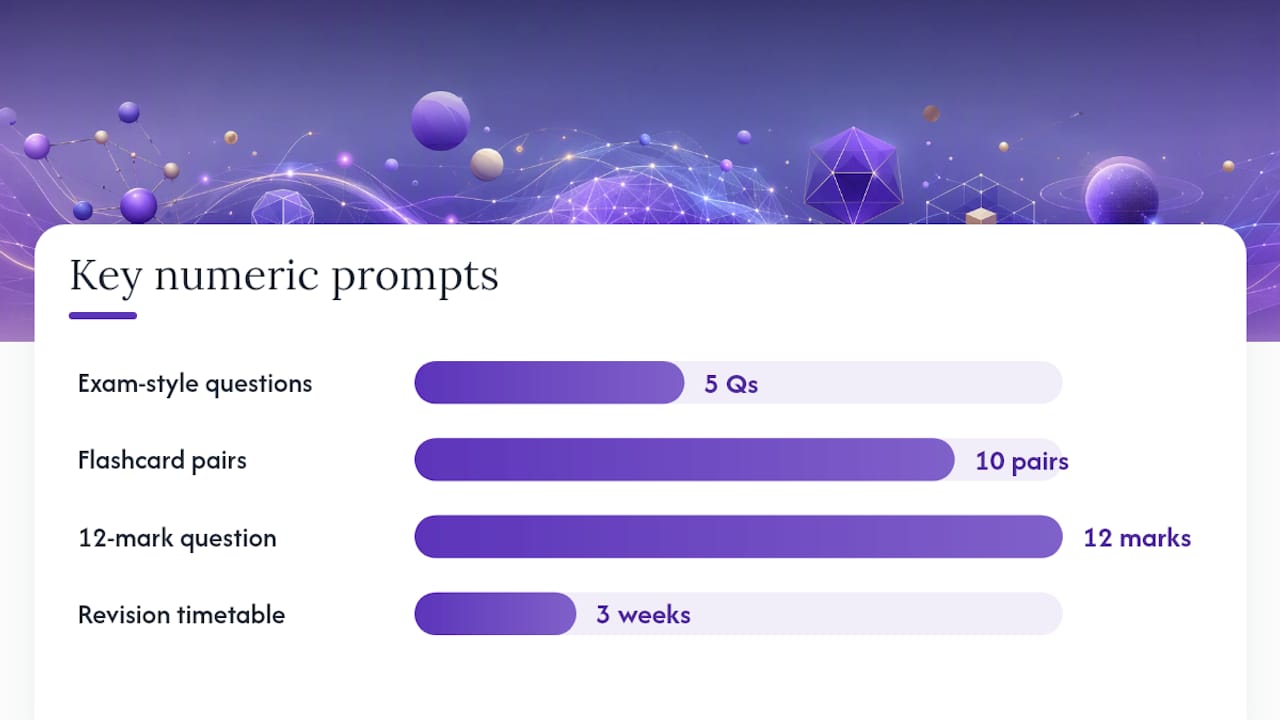
- Ask for a ten-minute quiz on one specific topic you find tricky, with five questions at the right grade level.
- Hold off on Memory until you are comfortable with how the tool works; it stores conversation data across sessions, which is worth understanding before you switch it on.
Key takeaways
Using ChatGPT for GCSE and A-Level revision works best when you brief it clearly, use Study Mode for active learning, and always verify factual answers against official exam board specifications and published mark schemes.
| Point | Details |
|---|---|
| Brief ChatGPT clearly | Always state your exam board, subject, topic, and target grade before asking any revision question. |
| Use Study Mode for learning | Study Mode uses Socratic prompts and knowledge checks to keep you thinking, rather than handing over answers. |
| Always fact-check outputs | Cross-reference ChatGPT answers with your exam board specification and published past paper mark schemes. |
| Keep academic work your own | Use ChatGPT for practice and feedback only; never submit AI-generated text as your own work in any assessed context. |
| Examrevizo adds official-spec depth | Examrevizo's Atlas assistant and practice papers with mark schemes complement ChatGPT by grounding your revision in verified, exam-board-aligned content. |
Table of Contents
- Why students use ChatGPT for revision
- Five practical ways to use ChatGPT for effective revision
- How to get clear, exam-useful explanations from ChatGPT
- Use ChatGPT to generate practice questions and mark-style answers
- Create flashcards, summaries and memory tricks that actually stick
- Decode exam command words and sharpen your exam technique
- Build a targeted timetable and topic-priority plan with ChatGPT
- Accuracy limits, hallucinations and why you shouldn't rely on generic AI to mark answers
- Is using ChatGPT for revision cheating? Ethical rules and how to use AI safely
- Study Mode, memory, uploads and custom GPTs explained
- A practical prompt bank for GCSE and A-Level tasks
- A student-friendly perspective on balancing AI and traditional revision
- Examrevizo pairs with ChatGPT to give you a complete revision system
- Sources
Why students use ChatGPT for revision
The HEPI 2025 survey on student generative AI use confirms that uptake among students has grown rapidly, alongside genuine questions about how to use these tools responsibly. It is not hard to see why students are drawn in.
ChatGPT gives you explanations pitched exactly to your level. Ask it to explain osmosis for a GCSE Biology student who finds cell biology confusing, and it will walk you through the concept step by step, with an analogy, a worked example, and a follow-up question to check you have understood. A textbook cannot do that.
The volume of practice it can generate is the other big draw. You can ask for ten exam-style questions on the causes of World War One, a set of flashcards for Spanish irregular verbs, or a timed 12-mark essay plan on Macbeth, all in under a minute. For students who have exhausted their past paper supply, that is a real advantage.
Exam technique is a third area where it earns its place. Students often lose marks not because they do not know the content but because they misread command words. ChatGPT can decode "evaluate" versus "analyse" in seconds and model what a top-band answer looks like for each. It is available at midnight before a mock, it never gets impatient, and it adjusts its pace to yours.
Five practical ways to use ChatGPT for effective revision
These are the five core workflows covered in depth below. Each one suits a different part of your revision routine.
- Explain concepts — brief ChatGPT with your exam board, topic, and level, then ask for a layered explanation that builds from a one-sentence summary to a worked example.
- Test yourself — generate bespoke practice questions with mark allocations, answer under timed conditions, then paste your response back for examiner-style feedback.
- Make flashcards and memory aids — convert your notes into Q&A cards, export them as CSV files, and import them into apps like Anki or Quizlet.
- Sharpen exam technique — ask ChatGPT to model answers at different grade levels and map each paragraph to specific assessment objectives.
- Build a timetable — give it your exam dates, available hours, and weak topics, and ask for a prioritised weekly plan.
Study Mode vs. regular chat: Use Study Mode when you want to be challenged and guided. Use regular chat when you need a quick factual explanation or want to generate a batch of flashcards fast.
How to get clear, exam-useful explanations from ChatGPT
The quality of an explanation depends almost entirely on how well you brief the tool. A vague prompt like "explain photosynthesis" gets a generic answer. A specific prompt gets something you can actually use.
Start every explanation request with four pieces of information:
- Your exam board (e.g. AQA, Edexcel)
- Your subject and topic (e.g. GCSE Biology, photosynthesis)
- Your current level of understanding (e.g. "I understand the light-dependent reaction but I am confused about the Calvin cycle")
- The depth you need (e.g. "explain it as if I am aiming for a grade 7")
Example prompt you can copy:
Then ask for progression. Once you have the summary, say: "Now give me a more detailed explanation with a diagram description." Then: "Ask me a question to check I have understood."
Pro Tip: Paste the exact wording from your exam board specification into the prompt. This dramatically reduces the chance of ChatGPT explaining content that is not on your syllabus. You can find your specification as a free PDF on your exam board's website.
Birmingham City University's revision guidance highlights exactly this approach: structured prompts with clear context produce far more useful output than open-ended questions.
Use ChatGPT to generate practice questions and mark-style answers
Self-testing is one of the most effective revision strategies, and ChatGPT can generate an almost unlimited supply of practice questions tailored to your exact specification. Here is a workflow that keeps you in control.
- Specify the question type. Tell ChatGPT your exam board, subject, topic, question type (multiple choice, short answer, extended writing), mark allocation, and time limit. Example: "Generate one AQA GCSE History 12-mark 'explain why' question on the causes of the Cold War."
- Enforce exam conditions. Close all other tabs. Set a timer. Write your answer by hand or in a separate document without looking at your notes.
- Paste your answer back. Ask ChatGPT: "Mark this response using AQA mark-scheme style. Give me an AO1/AO2/AO3 breakdown, identify the strongest and weakest parts, and suggest three specific things I should add or improve."
- Request a model answer. After you have reviewed the feedback, ask for a top-band example answer so you can compare structure and content.
- Cross-check the mark scheme. Do not accept ChatGPT's grade as final. Download the published mark scheme from your exam board's website and compare. ChatGPT can misinterpret band descriptors, especially for extended writing.
Research into classroom use of ChatGPT suggests the most effective approach is using AI output as feedback rather than a substitute for your own thinking. Writing the answer yourself first, then using ChatGPT to critique it, keeps the learning in your hands.
Parent guides to exam revision make the same point: ChatGPT works best as a revision coach when the student does the writing and uses the AI's response to improve, not to copy.
Create flashcards, summaries and memory tricks that actually stick
Flashcards work best when they are built around active recall, not passive reading. ChatGPT can convert a block of notes into a ready-to-use Q&A set in seconds.

Basic flashcard prompt:
Paste your notes directly after the prompt. You will get a clean set of cards you can copy into Anki, Quizlet, or any flashcard app.
CSV export tip: Ask ChatGPT to format the output as a CSV table with two columns: "Question" and "Answer". You can then save it as a .csv file and import it directly into Anki or Quizlet without any manual typing.
- For sciences, ask for formula-focused cards: "Q: What is the formula for calculating speed? / A: Speed = distance ÷ time (m/s)." Include units and conditions.
- For literature, structure cards around quote, context, and significance: "Q: What does 'Stars, hide your fires' suggest about Macbeth's ambition? / A: It shows his desire to conceal his murderous intent — the imperative verb 'hide' implies active suppression of conscience."
- For history and geography, pair a date or term with its cause and consequence, not just a definition.
You can also ask ChatGPT to build a spaced-repetition schedule: "I have 14 days until my Chemistry exam. Suggest a schedule for reviewing these 30 flashcards using spaced repetition, starting with the ones I find hardest." Add a "why this matters" cue to each card to strengthen memory: "Why does this fact appear in exam questions?" gives your brain a reason to retain it.
Coursera's guidance on using ChatGPT for studying recommends role-framed prompts and custom GPTs for exactly these tasks, noting that personalised flashcard generation is one of the highest-value use cases.
Decode exam command words and sharpen your exam technique
Many students lose marks on questions they actually know the answer to, simply because they misread the command word. ChatGPT is excellent at unpacking what each command word demands and modelling what a strong response looks like.
Command word checklist — ask ChatGPT to explain each one:
- Describe — state what something is or how it happens, with detail but no judgement.
- Explain — give reasons or mechanisms; use "because" and "therefore" to show causation.
- Analyse — break something down into its components and examine how they relate.
- Evaluate — weigh up evidence on both sides and reach a supported conclusion.
- Compare — identify similarities and differences between two or more things.
For each command word, ask: "Show me a 4-mark answer and a 9-mark answer for this command word on [your topic], and explain what makes the higher-mark answer better."
For extended writing, try this prompt: "Write a 12-mark essay plan for the question '[your question]' using AQA mark-scheme criteria. Map each paragraph to a specific assessment objective and show what evidence or examples should go in each one." This gives you a skeleton you can practise filling in yourself, rather than a finished answer to copy.
Timing matters too. Ask ChatGPT: "I have 15 minutes to answer a 12-mark question. How should I split my time between planning, writing, and checking?" It will give you a practical breakdown you can apply in every mock.
Build a targeted timetable and topic-priority plan with ChatGPT
A good revision timetable is not just a list of subjects. It prioritises your weakest topics, spaces out retrieval practice, and fits around your actual life. ChatGPT can build one for you if you give it the right information.
Brief it like this:
You will get a structured plan. Ask it to format the output as a table so you can copy it into a spreadsheet or Google Sheets. You can also use Examrevizo's dedicated exam timetable tool to export a calendar-ready schedule alongside your practice paper sessions.
Daily session template (25–50 minute blocks):
| Block | Activity |
|---|---|
| — | Recall test: write down everything you remember about today's topic without notes |
| 5–30 min | Active revision: flashcards, practice questions, or worked examples |
| 30–40 min | Review: check answers against mark scheme or specification |
| — | Plan next session: note one thing to revisit tomorrow |
Ask ChatGPT to export a weekly prioritisation matrix: "List my revision topics in a table with two columns: 'Confidence (1–5)' and 'Exam weighting (high/medium/low)'. Sort by lowest confidence and highest weighting first." This gives you a clear order of priority rather than revising what you already know.
Accuracy limits, hallucinations and why you shouldn't rely on generic AI to mark answers
ChatGPT is not infallible. It can confidently state an incorrect date, misquote a formula, or misinterpret a mark scheme. This is not a flaw unique to ChatGPT; it is a known characteristic of large language models called hallucination, where the model generates plausible-sounding text that is factually wrong.
For GCSE and A-Level revision, the risk is specific. ChatGPT may:
- Give you content that is correct in general but not on your exact specification.
- Misquote a literary text or attribute a quote to the wrong character.
- Describe a chemical equation with the wrong coefficients.
- Assign marks using band descriptors that do not match your exam board's current mark scheme.
Three practical fact-check steps:
- Cross-check with your specification. Every exam board publishes its full specification as a free PDF. If ChatGPT explains a concept, check the specification to confirm it is actually on your syllabus and that the depth matches.
- Consult published mark schemes. Past paper mark schemes are available free from AQA, Edexcel, OCR, and WJEC. Use them to verify any feedback ChatGPT gives on your practice answers.
- Ask your teacher about edge cases. For anything high-stakes — exact chemical equations, specific historical dates, legal definitions in Law A-Level — get a teacher to confirm before you commit it to memory.
Avoid using ChatGPT as your sole source for precise factual items. Use it to understand concepts and generate practice, then verify the specifics elsewhere.
Is using ChatGPT for revision cheating? Ethical rules and how to use AI safely
Using ChatGPT to help you revise is not cheating. Using it to write coursework or controlled assessments that you submit as your own work is. The line is clear, but it is worth spelling out.
Ethical use checklist:
- Use ChatGPT to practise and get feedback, not to produce work you will submit.
- Declare AI use if your school or exam board requires it — check your school's policy.
- Always write your own answers first, then use ChatGPT to critique them.
- Do not copy ChatGPT's model answers into your notes as if they were your own understanding.
- Use it to understand a concept, not to memorise a pre-written explanation you have not processed.
HEPI's 2025 survey documents growing student use of generative AI alongside real concerns from educators about policy and appropriate boundaries. Most schools now have an AI use policy; if yours does not, ask your teacher directly.
The safest approach is to talk to your teachers openly. Tell them you are using ChatGPT to generate practice questions and get feedback on your answers. Most teachers will welcome this, and some will help you use it more effectively. What schools typically prohibit is submitting AI-generated text as original work in any assessed context, including mock exams, coursework, and controlled assessments.
Practical habits to avoid:
- Copy-pasting ChatGPT answers into revision notes without reading and processing them.
- Relying on ChatGPT's marks as your official grade — they are not.
- Submitting any AI-generated text as your own work in an assessed context.
Scholarly research on classroom AI use is clear: tasks should be designed so students use AI output as feedback, not as a replacement for their own thinking.
Study Mode, memory, uploads and custom GPTs explained
ChatGPT has several features that make it more useful for revision than a standard chatbot. Understanding what each one does helps you choose the right tool for the right task.
Study Mode
Study Mode changes how ChatGPT responds. Instead of giving you a direct answer, it uses Socratic prompts, scaffolded explanations, and knowledge checks to guide you towards the answer yourself. OpenAI describes it as a feature for step-by-step guidance and personalised checks that support deeper learning rather than passive reading.
For revision, Study Mode is best when you want to be tested, not told. Use it for self-quizzing sessions, concept checks, and working through problems. Switch to regular chat when you need a quick explanation or want to generate a batch of flashcards efficiently.
Memory
Memory allows ChatGPT to remember details from previous conversations, such as your exam board, subjects, and weak topics. This saves you re-briefing the tool every session. The caveat: be thoughtful about what you store. Avoid uploading full past papers or detailed personal information. Check OpenAI's privacy settings if you are under 18 or if your school has data-use guidelines.
Uploads and custom GPTs
You can upload images of past paper questions or short text extracts from your specification. This helps ChatGPT give more accurate, on-spec answers. Custom GPTs, such as Study Mentor or Writing Coach templates available in the GPT store, are pre-configured for specific study tasks. A Study Mentor GPT, for example, is already set up to quiz you, give structured feedback, and avoid handing over answers too quickly. Use a custom GPT when you want a consistent, pre-configured experience; use Study Mode when you want the standard ChatGPT interface to behave more like a tutor.
A practical prompt bank for GCSE and A-Level tasks
These prompts are grouped by task. Copy, paste, and adapt them by swapping in your own exam board, subject, and topic.
Explanation prompts:
- "You are an [exam board] [subject] tutor. Explain [topic] to a student aiming for a grade [X]. Start with a one-sentence summary, then give a worked example, then ask me one question to check my understanding."
- "I am studying [topic] for [exam board] [subject]. Explain the difference between [concept A] and [concept B] using a simple analogy."
Self-testing prompts:
- "Generate five [exam board] [subject] exam-style questions on [topic]. Include the mark allocation for each. Do not give me the answers yet."
- "Now mark my answers using [exam board] mark-scheme style. Give me an AO breakdown and three specific improvements."
- "Show me a model top-band answer for question 3 and explain what makes it strong."
Flashcard generator:
- "Convert the following notes into 10 Q&A flashcard pairs. Format as a CSV table with columns 'Question' and 'Answer'."
- "For each flashcard, add a 'Why it matters' column explaining why this fact appears in exam questions."
Examiner feedback prompt:
- "Act as an AQA examiner. Here is my answer to a 12-mark question: [paste answer]. Give me a band, an AO breakdown, and the two most important things I should change."
Timetable builder:
- "My exams start on [date]. I have [X] hours free per weekday and [Y] hours at weekends. My weakest topics are [list]. Build a 3-week revision timetable as a table, prioritising weak topics and including spaced retrieval."
Iterative edit-pass prompts are particularly useful for English and essay subjects. Rather than asking ChatGPT to "improve this essay," use focused passes: first ask it to check argument clarity only, then a separate pass for vocabulary and tone, then one for grammar. Focused edit-pass prompts that isolate one dimension at a time consistently produce better results than a single broad revision request.
Pro Tip: When quizzing yourself, add "Do not give me the answer immediately. Give me a hint first, then reveal the answer only if I ask" to any quiz prompt. This forces active recall rather than passive reading.
To adapt prompts by subject: science prompts should always specify units, conditions, and whether you want a diagram description. Literature prompts should include the text name, the character or theme, and the assessment objective (AO1 for ideas, AO2 for language, AO3 for context). History prompts benefit from specifying the time period and the type of question (causation, significance, change and continuity).
A student-friendly perspective on balancing AI and traditional revision
The most common worry students and parents raise about using AI for revision is dependency: "What if I stop being able to think for myself?" It is a fair concern, and the fix is simpler than you might expect.
The problem is not using ChatGPT. The problem is using it passively. If you read a ChatGPT explanation without testing yourself on it, you have done the equivalent of highlighting a textbook: it feels productive but does not move information into long-term memory. The moment you close the explanation and try to recall it, write it out, or answer a question about it, the learning starts.
Schedule AI sessions the same way you schedule any revision block: a fixed time, a specific topic, and a clear goal. "I will spend 30 minutes using ChatGPT to quiz myself on organic chemistry reactions" is a plan. "I will chat with ChatGPT about Chemistry" is not. One subject per week is a sensible starting experiment if you are new to this. Pick your weakest topic, run three or four focused ChatGPT sessions on it, then test yourself with a past paper question and mark it against the official mark scheme. That combination of AI practice and official verification is what makes the approach reliable.
Human feedback still matters. ChatGPT cannot replicate what a teacher sees in your work: the specific habits you have, the gaps that keep reappearing, the way your argument structure tends to collapse under pressure. Use AI to increase your practice volume, and use your teacher to diagnose the patterns in your mistakes.
On the question of losing your voice in written subjects: write your answer first, always. Use ChatGPT to critique it afterwards. Your voice stays intact because you wrote the thing. The AI just helps you see where it could be stronger.
Examrevizo pairs with ChatGPT to give you a complete revision system
ChatGPT is a powerful practice engine, but it does not know your exam board's exact mark schemes, and it cannot tell you which topics are most likely to move your grade. Examrevizo fills that gap.
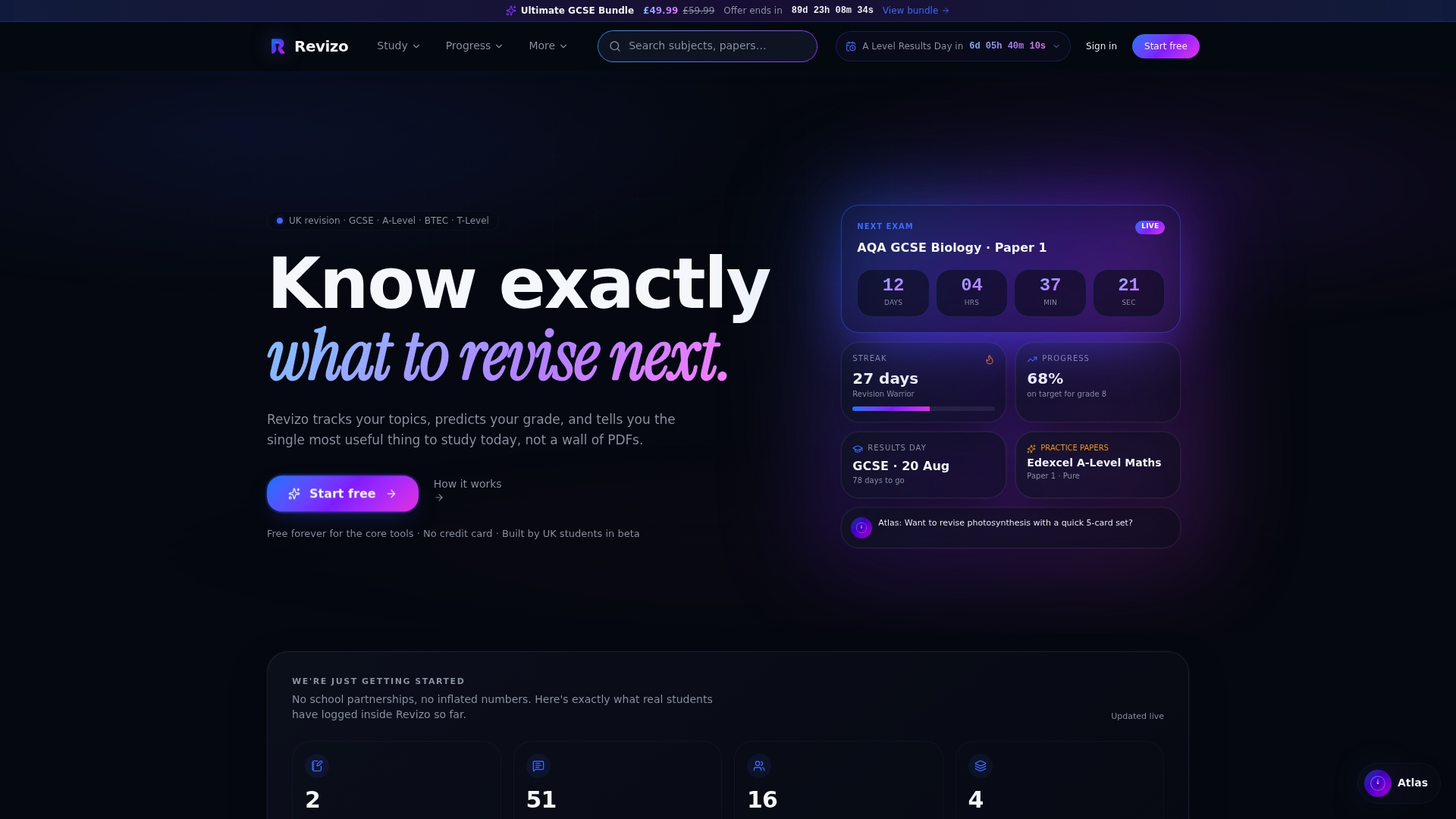
Examrevizo's Atlas assistant offers explanations and exam-style questions aligned with official UK specifications, so you are not guessing whether the content is on your syllabus. The platform's predictive grade analysis tracks your topic-by-topic progress and tells you where to focus next, which is the kind of targeted guidance that generic AI cannot replicate. Pair that with GCSE practice papers that mirror official exam formats and come with matching mark schemes, and you have a verification layer for everything ChatGPT generates. Subject bundles are available from £12.99, covering sciences, humanities, languages, and business and technology. Head to Examrevizo to see your options and start revising with confidence.
Sources
Use these to verify ChatGPT outputs and download official mark schemes and past papers.
- Using Study Mode in ChatGPT | OpenAI Help Center
- Introducing study mode | OpenAI
- How to Use ChatGPT for Studying | Coursera
- Best AI tools for revision
- Student generative AI survey 2025
- Coexisting with ChatGPT: Evaluating a tool for AI-based paper revision
- How to Use ChatGPT for Exam Revision - Parents Guide (Without Doing the Work for Them) - AI Alchemist
- 110 Prompts For Clarity, Tone & Grammar: ChatGPT Edit Passes
Always check the specific specification document for your subject and exam board before your final revision sessions. Specifications are free to download and tell you exactly what content can appear in your exam.